How to manage active and inactive languages
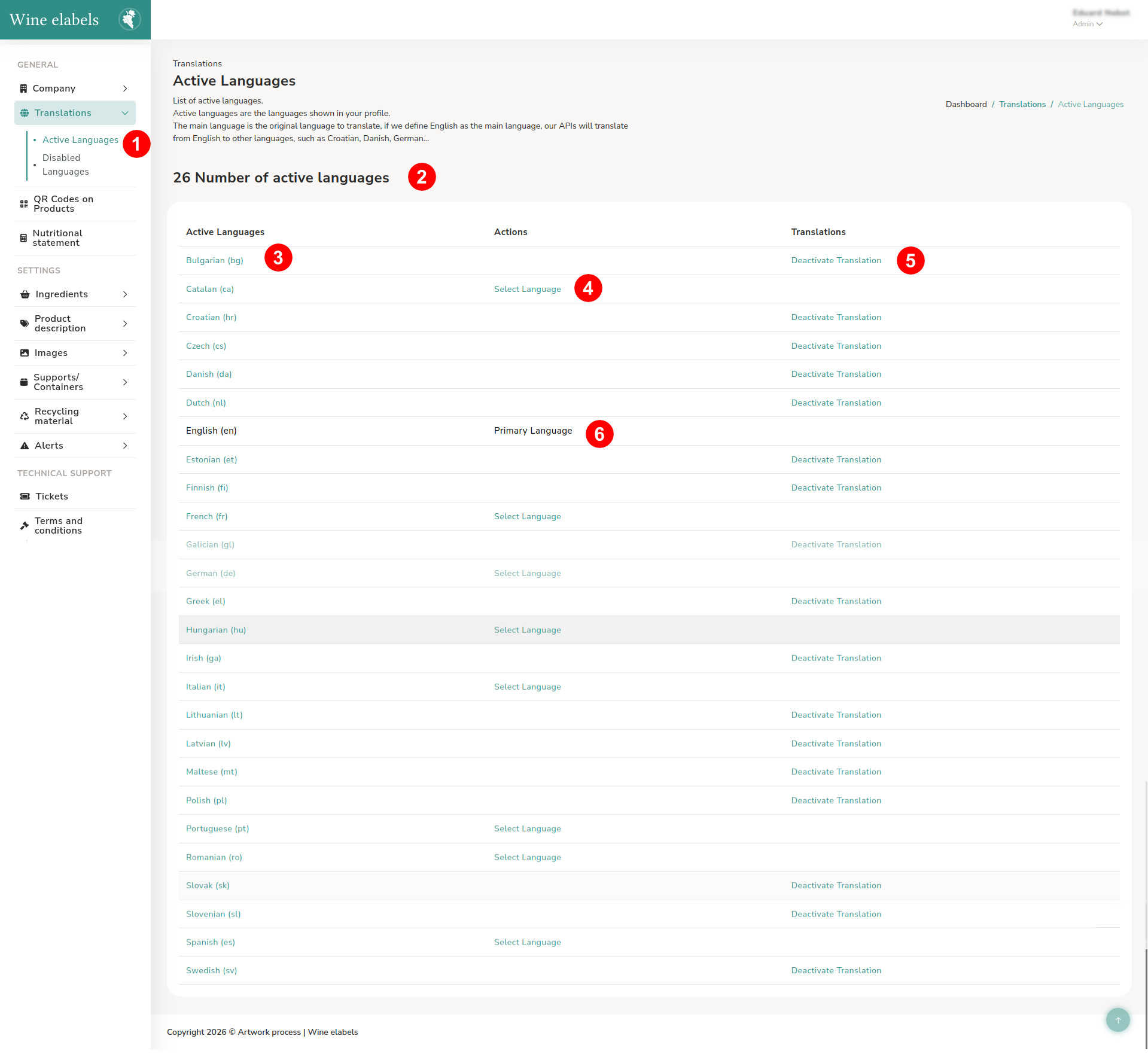
To manage the active languages, access the sidebar located on the left side of the screen and select Translations > Active languages.
The active languages are those that the system will use to display and translate the information associated with the QR codes.
In this section you can view:
- The total number of active languages (2).
- The complete list of available languages.
Within the list, each language shows the following options:
- Language name (3).
- Button to set it as the main language (4).
- Indicator of the language currently defined as main (6).
- Option to deactivate the language (5).
The main language plays a key role in the system. It defines the administrator’s working language and also the base language in which the contents are created. When a user requests the translation of a text, the system takes as a reference the original language in which it was created.
In case a content is not translated into a specific language, the system will display the English version by default. If it is not available in English, the text will be shown in the original language in which it was created.
Inactive languages
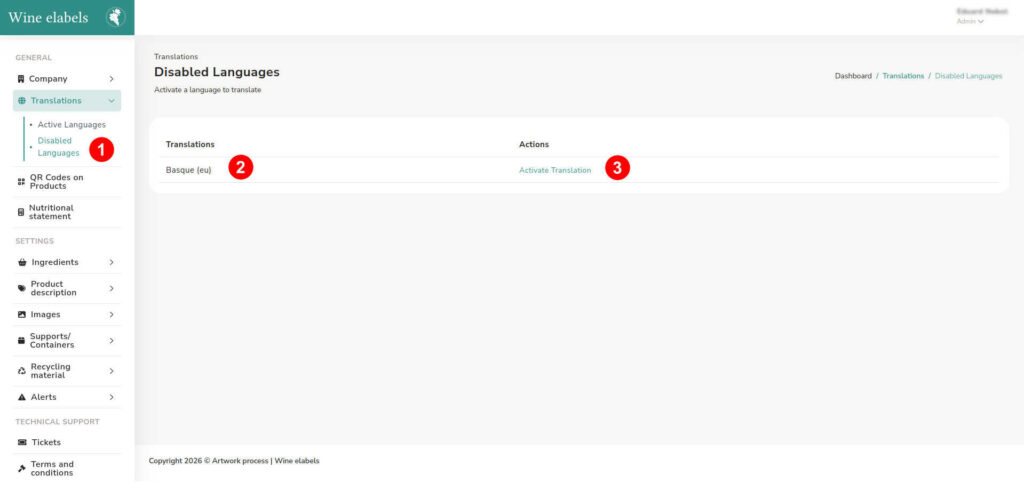
To manage the inactive languages, access the sidebar located on the left side of the screen and select Translations > Inactive languages.
In this section, the list of languages that are currently not active in the system is shown. If there is any inactive language, you can view:
- The language name (2).
- The button to reactivate it.
When activating a language, it will automatically become part of the active languages and will be available for use and translation on the platform.