Health alerts
Health alerts allow you to quickly and clearly inform your clients about incidents, notices or relevant information related to the safety or status of products or services.
Access to health alerts
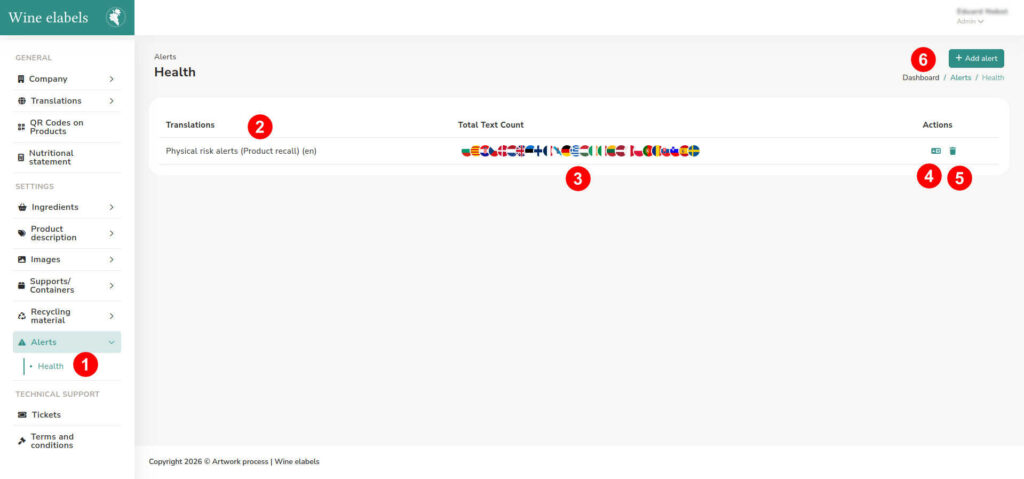
To manage them, access the left sidebar menu of the platform and select Alerts > Health (1)
Creation of a new alert
If you do not yet have alerts configured, the platform will show you a message inviting you to create the first one. You can also create a new alert at any time by clicking the “Add alert” button (5).
Management of existing alerts
If there are already alerts created, you will see a list with all the available information, where you can:
- Consult the list of health alerts created (2)
- See in which languages each alert is translated (3)
- Access the option to translate the alert into other languages (4)
- Delete an existing alert (5)
This system allows you to keep your clients always informed in an efficient and multilingual way, ensuring clear communication in the event of any health incident.