Brands and products
To properly organize your products, the system offers a simple and intuitive structure.
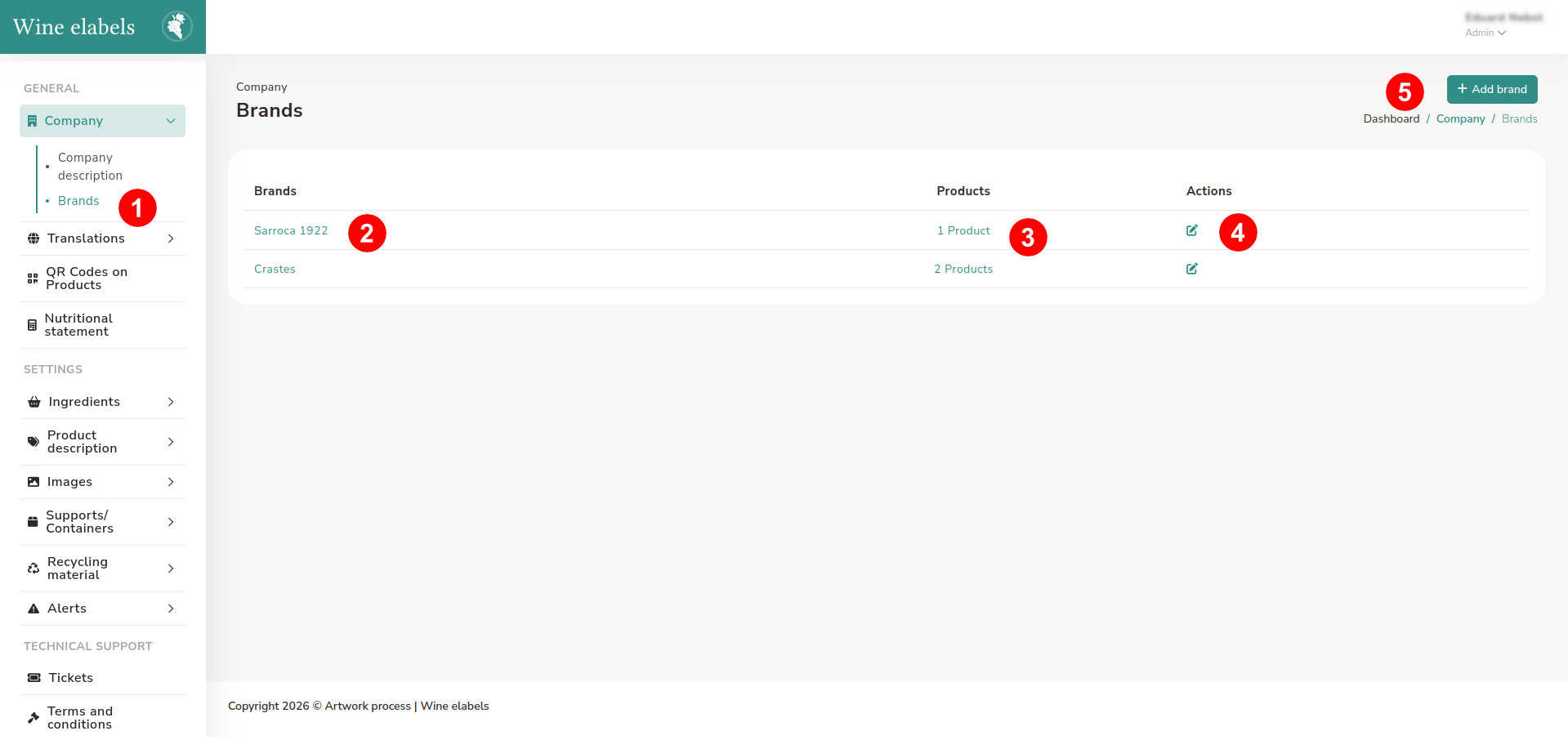
Access the sidebar located on the left side of the screen (1). By default, the system automatically creates an initial brand and product; the first time you enter, you can edit them according to your needs.
On the screen you will find:
- The brand name (2).
- The product section (3), which takes you to the complete list of products.
- The Edit brand button (4), which allows you to modify the information of the current brand.
- The Add brand button (5), which allows you to create new brands if you need to.
In this way, you will be able to manage and organize your products clearly and efficiently.
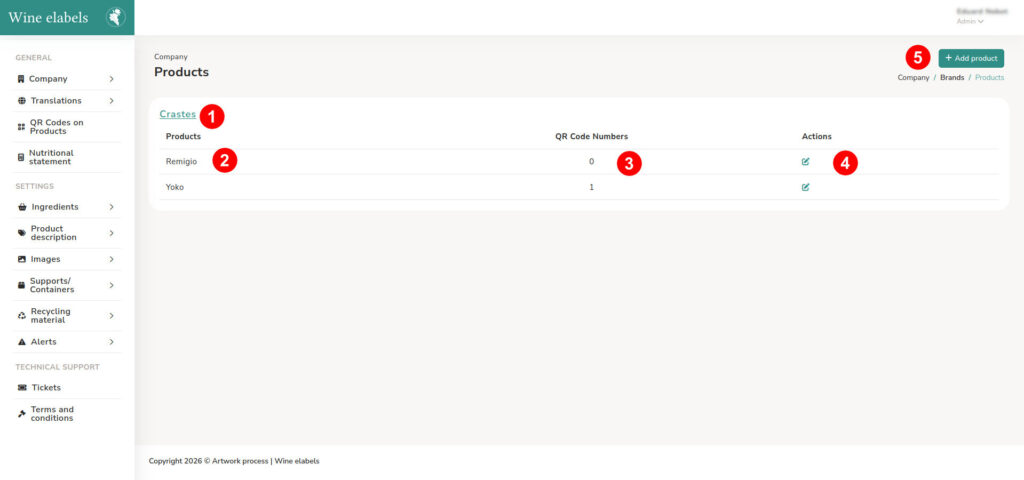
When accessing the product list, you can view the following information:
- The brand to which each product belongs (1).
- The product name (2).
- The number of QR codes or virtual spaces associated (3).
- The Edit product button (4), which allows you to modify the product information.
If you need to add new products to this brand, you can do so by clicking the Add product button (5).
Important: This organization system is fundamental to facilitate access to information. The generated QR codes will always be linked following this hierarchical structure: Brand > Product > Year.